
How to Search for a Warrant in Prince Edward County
Virginia’s OCIS portal covers selected Circuit, General District, and J&DR case information. It is not a statewide active-warrant list. Search by name, case number, or hearing date, then run a separate search in the Prince Edward General District Court system when the case appears local.
Use the spelling on the summons, citation, or court notice. If a record may be sealed, juvenile, newly issued, or held outside the displayed court layer, ask the issuing clerk or magistrate. The county Sheriff’s Office has no public online warrant roster in the reviewed sources.
- Choose Name, Case Number, or Hearing Date in OCIS. A name search permits partial entries of at least two characters.
- Set Court Level or Court filters when useful. For a case number, select one court rather than “All Courts.”
- Search Prince Edward General District Court separately and check the detail fields shown for that case.
- Call the GDC clerk, Circuit Clerk, J&DR clerk, or District 10 magistrate according to the case type.
- Ask the Sheriff’s Office about county service; use a specific FOIA request only for records the office can disclose.
Prince Edward County OCIS Search Steps
OCIS lets a user pick Name, Case Number, or Hearing Date. Name searches allow partial entries of at least two characters, and Court Level filters include Circuit, General District, and J&DR. A case-number search requires a single court selection. The system may first show a disclaimer that must be acknowledged before the search can continue.
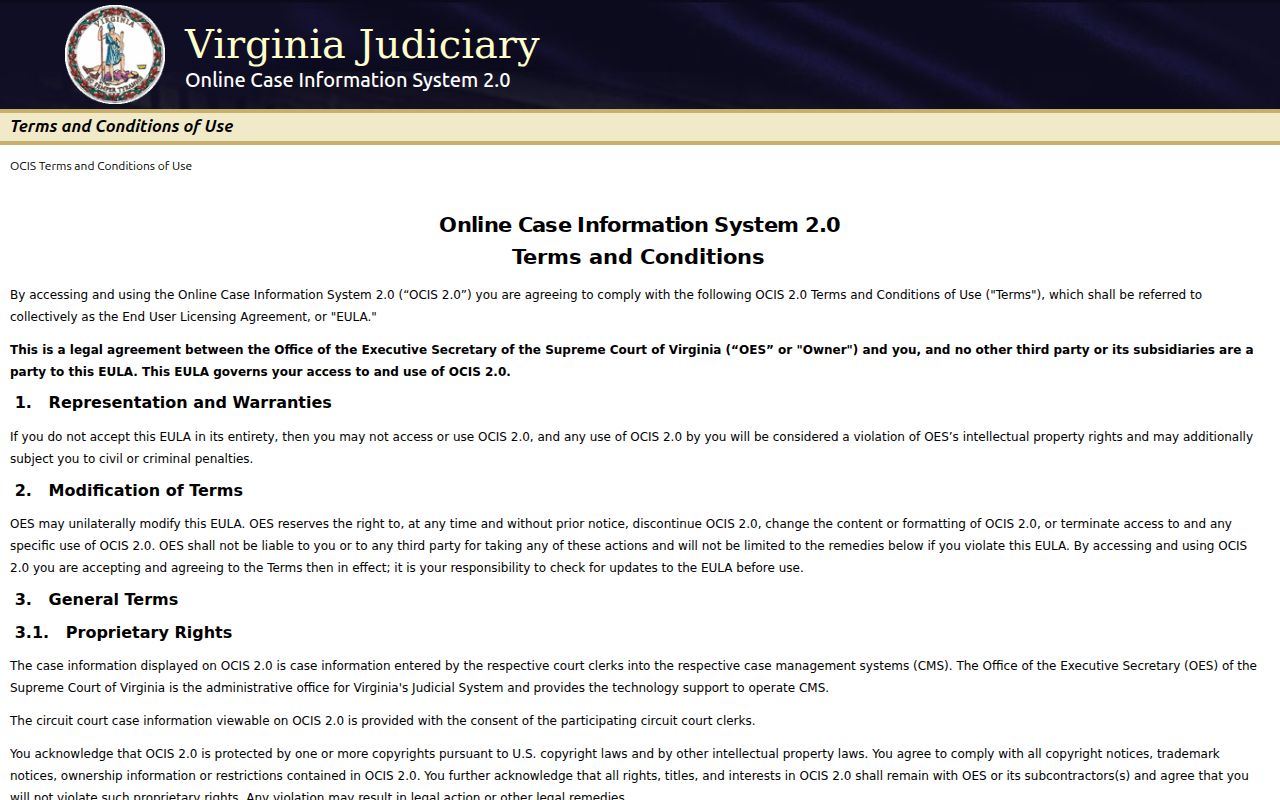
The official OCIS search help describes the fields and result view. For a Prince Edward County name search, use the spelling from the court paper, then open the case detail and note the court, charge, code section, hearing, disposition, and service-of-process fields. Those details help identify the right clerk, but do not certify warrant status.
The local GDC system is separate and requires choosing Prince Edward General District Court. A second search matters when a statewide case result is incomplete or a local case number is known. Neither screen replaces a direct call to the court that issued process.
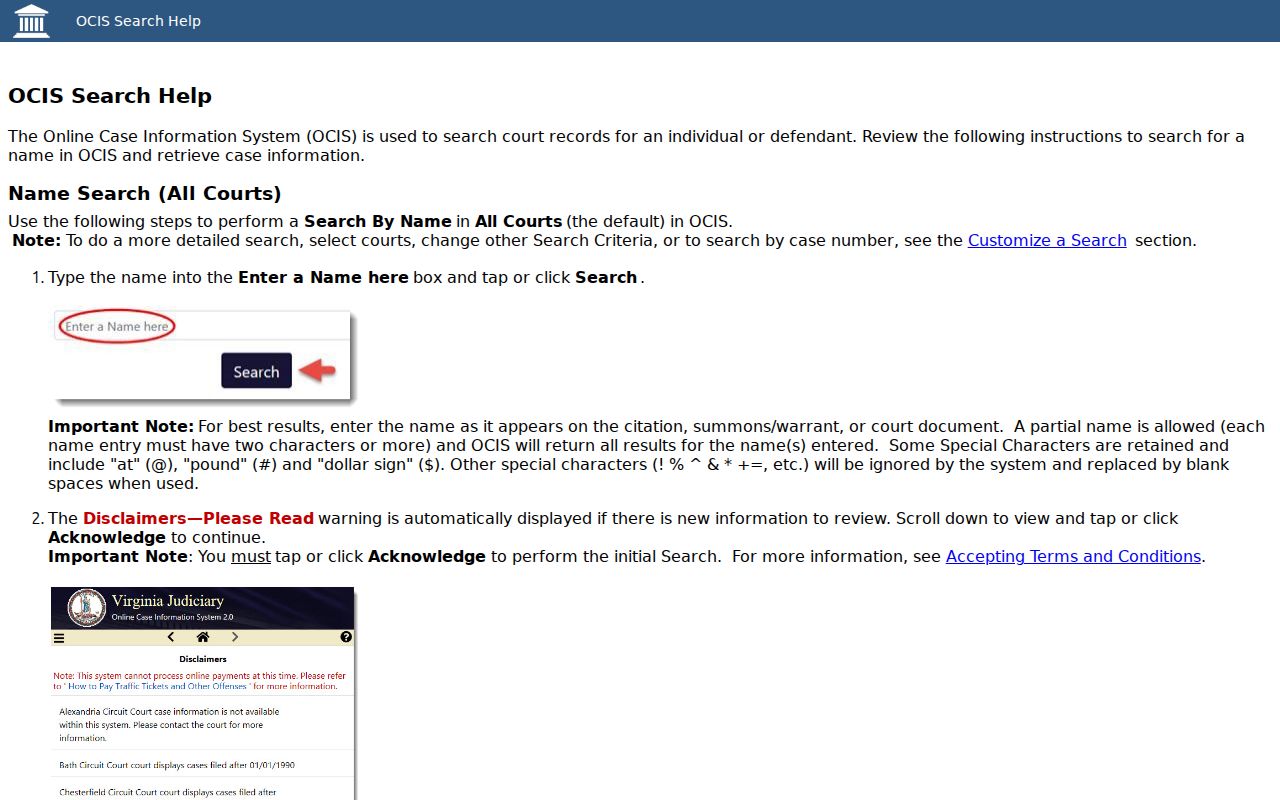
The image shows the public search controls, not a person’s record. Use the court filters to reach the right Prince Edward case layer.
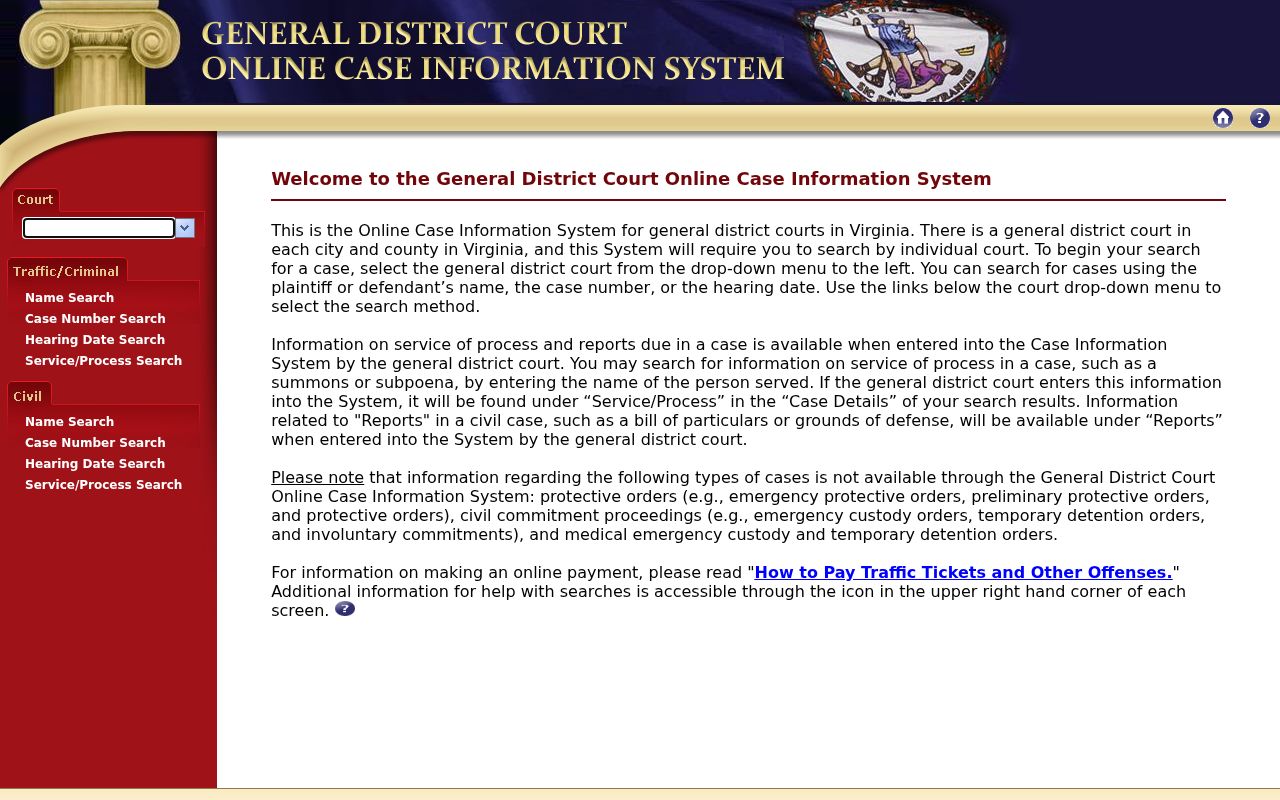
This selection screen is where a visitor chooses the court before searching local General District Court information.
Prince Edward County Warrant Search Fields
For a local GDC lookup, choose Prince Edward General District Court before entering a name, case number, or hearing date. OCIS allows court-level filters and court selection; exact control labels differ between the statewide and local interfaces. A name match should be checked against the case number and charge, especially when names are common.
| Field Label | Type | Required | Notes |
|---|---|---|---|
| Search By | Menu | Yes | Name, Case Number, or Hearing Date in OCIS. |
| Name | Text | For name search | Partial entry allowed; each entry is at least two characters. |
| Case Number | Text | For number search | Examples use GT, CR, or JA prefixes; exact local format varies. |
| Hearing Date | Date | For date search | Enter MM/DD/YYYY or use the calendar control. |
| Court / Court Level | Filter | Optional, except case-number court | Choose the relevant local court; case-number searches use one court. |
Prince Edward County GDC Selection
The local system makes court selection an early step. Pick Prince Edward General District Court, then choose plaintiff or defendant name, case number, or hearing date. The case detail can expose charge and service-of-process information, but not every category is public. The system excludes protective-order, civil-commitment, emergency-custody, temporary-detention, and involuntary-commitment information.
This second search is useful when a citation or hearing was handled locally. A result still may not display whether a separate capias is active, returned, or recalled. Call the GDC clerk at (434) 392-4024 for the court’s permitted confirmation route.
What a Prince Edward County Warrant Search Returns
A matching court row may show the court, case number, defendant, offense date, hearing date, charge, and code section. A detail view can include disposition and service of process. Those are useful clues about the file. They are not a promise that a warrant is active or that no other process exists.
| Case Number | Example: CR12345678-90 Official help example only, not a Prince Edward warrant number. |
|---|---|
| Charge / Code | Offense text and the cited code section. |
| Issuing Court | Use this field to route the next question to the correct clerk. |
| Disposition / Service | Recorded case action or process detail; neither alone confirms current warrant status. |
Prince Edward County Case Row Limits
“Disposition” means the recorded case action, while “service of process” describes delivery or execution information. Neither field is a live warrant flag. A Capias case category also identifies a process type rather than proving that it remains outstanding.
Do not convert a case result into a legal conclusion. If a row shows a missed hearing or capias, contact the court listed on the result and ask what the record currently says. If no row appears, ask the clerk whether the case is outside the public system or held by another court.
Where Prince Edward County Warrants Are Checked
Use OCIS and the local GDC system for public case information. Contact the GDC clerk for misdemeanor, traffic, town-ordinance, preliminary-hearing, show-cause, or capias files. The Circuit Clerk handles felony files after certification or indictment. J&DR records include confidential juvenile and family matters.
The Sheriff’s Office at 124 N. Main Street, Farmville, is the countywide service contact. Farmville Police at 116 N. Main Street handles town service questions. Neither publishes an online warrant list in the sources reviewed. Virginia’s VCIN is for approved justice agencies, not public self-search. The District 10 magistrate handles new process and bail.
Prince Edward County Clerk Confirmation
Ask the clerk that matches the court shown in the case. Prince Edward GDC is at 111 South Street and lists (434) 392-4024; the Circuit Clerk at 111 South Street lists (434) 392-5145; J&DR lists (434) 392-3343. The District 10 magistrate office at 111 N. South Street is available around the clock at (434) 392-3750 for new process and bail questions.
For a record request, the county FOIA page gives courthouse mail and walk-in routes at 111 N. South Street or P.O. Box 382, Farmville. Describe an office, record type, date range, and whether you want inspection or copies. No fixed warrant-search fee or same-day certification was located.
Use the local status overview for the limits of public lists and activity logs.
Access and Restricted Warrants
Virginia FOIA favors public access but allows exemptions for law-enforcement records. Juvenile files are restricted by statute. OCIS and the GDC system also omit protected case types, and newly issued or sealed process may not show in a public search. A missing name is not a clearance result.
For your own file, request the record from the clerk or Sheriff’s Office that holds it and ask what can lawfully be shared. A FOIA response may include redactions or a cost estimate. The office is not required to create a warrant opinion or a no-warrant certificate.
Key Rules:
Virginia Code §2.2-3706.1 allows limits or redactions for law-enforcement records.
Virginia Code §16.1-305 restricts access to juvenile court records.
OCIS is limited case information; newly issued, sealed, or excluded process may not appear.
Prince Edward County Search Safety
The Town of Farmville warns that there is no “Prince Edward Police Department,” and Farmville Police will not settle or serve a warrant by phone. An unsolicited demand for immediate money is not official confirmation. Use a published police, clerk, magistrate, or Sheriff number to verify the route.
For an emergency in progress, call 911. Crime Solvers and P3 are tip channels, not warrant searches or surrender offices. For a court-status question, contact the issuing clerk. The county FOIA page is the route for a defined public-record request.
For the county’s full court and resolution map, see Prince Edward County warrant records.